
Integrate OpenTelemetry (logging, metrics and traces) with Status200.
Step 1 - Create Telemetry Ingestion Token.
Once you have created a Status200 account, you can create a telemetry ingestion token to ingest logs, metrics and traces from your application.
After you sign up to Status200 and create a project. Click on "More" in the Navigation bar and click on "Project Settings".
On the Telemetry Ingestion Key page, click on "Create Ingestion Key" to create a token.
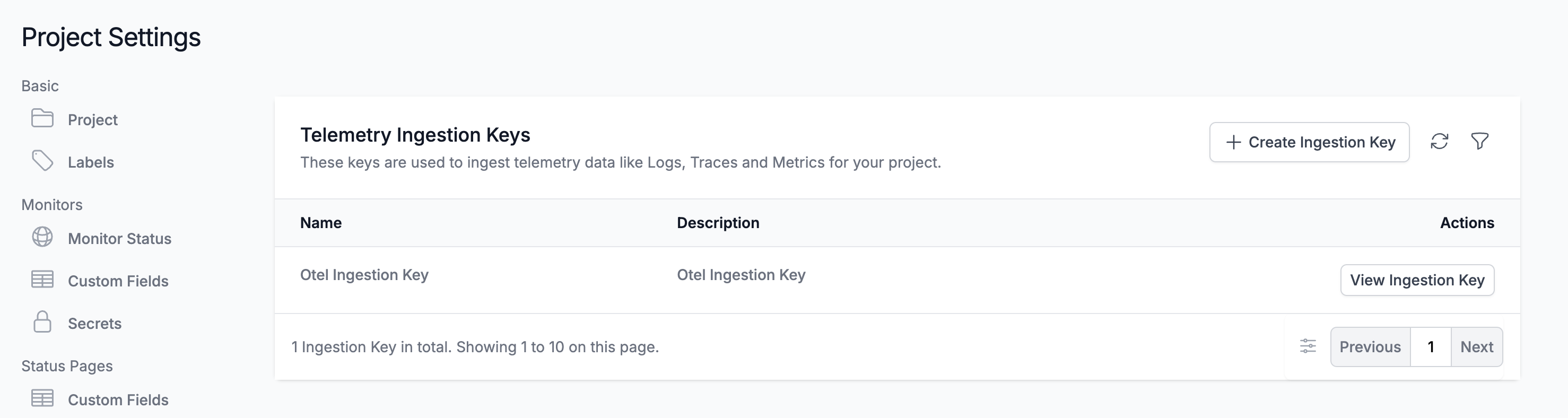
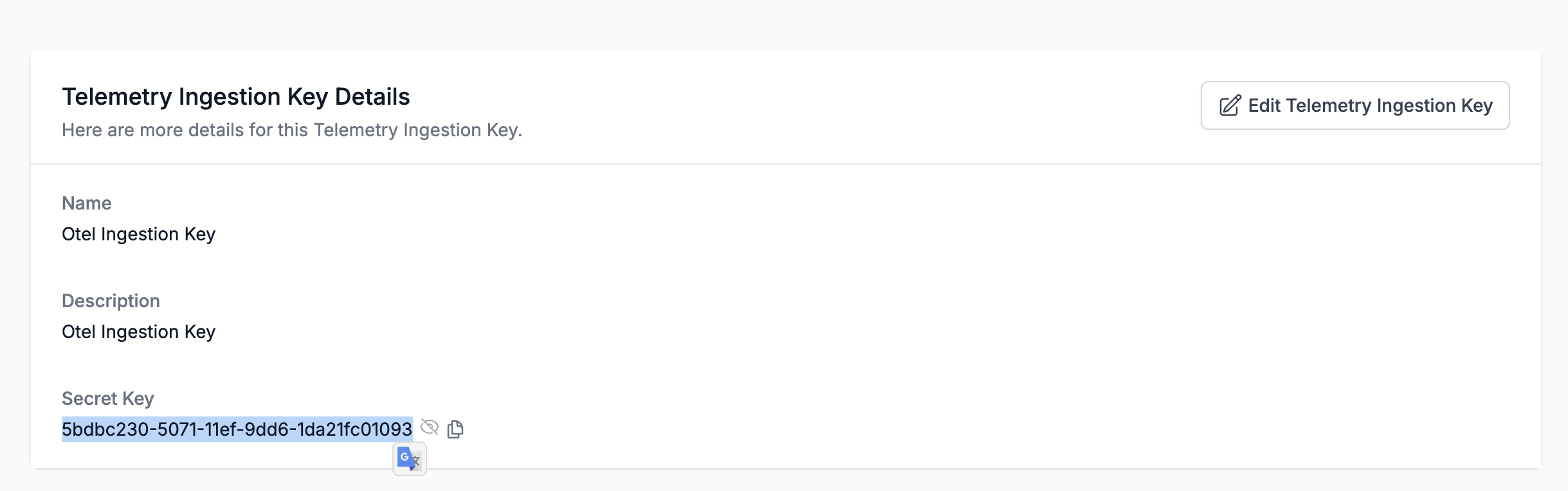
Once you created a token, click on "View" to view the token.
Step 2
Configure the telemetry service in your application.
Application Logs
We use OpenTelemetry to collect application logs. Status200 currently supports log ingestion from these OpenTelemetry SDKs. Please follow the instructions to configure the telemetry service in your application.
Integrate with Status200
Once you have configured the telemetry service in your application, you can integrate with Status200 by setting the following environment variables.
| Environment Variable | Value |
|---|---|
| OTEL_EXPORTER_OTLP_HEADERS | x-status200-token=YOUR_S200_SERVICE_TOKEN |
| OTEL_EXPORTER_OTLP_ENDPOINT | https://status200.ru/otlp |
| OTEL_SERVICE_NAME | NAME_OF_YOUR_SERVICE |
Example
export OTEL_EXPORTER_OTLP_HEADERS=x-status200-token=9c8806e0-a4aa-11ee-be95-010d5967b068
export OTEL_EXPORTER_OTLP_ENDPOINT=https://status200.ru/otlp
export OTEL_SERVICE_NAME=my-service
Self Hosted Status200
If you're self-hosting Status200, this can be changed to your self hosted OpenTelemetry collector endpoint (eg: http(s)://YOUR-STATUS200-HOST/otlp)
Once you run your application, you should see the logs in the Status200 telemetry service page. Please contact support@status200.ru if you need any help.
Using OpenTelemetry Collector
You can also use the OpenTelemetry collector instead of sending telemetry data directly from your application. If you are using OpenTelemetry Collector, you can configure the Status200 exporter in the collector configuration file.
Here is the example configuration for OpenTelemetry Collector.
receivers:
  otlp:
    protocols:
      grpc:
        endpoint: 0.0.0.0:4317
      http:
        endpoint: 0.0.0.0:4318

exporters:

  # Export over HTTP
  otlphttp:
    endpoint: "https://status200.ru/otlp"
    # Requires use JSON encoder instead of default Proto(buf)
    encoding: json
    headers:
      "Content-Type": "application/json"
      "x-status200-token": "S200_TOKEN" # Your Status200 token

service:
  pipelines:
    traces:
      receivers: [otlp]
      exporters: [otlphttp]
    metrics:
      receivers: [otlp]
      exporters: [otlphttp]
    logs:
      receivers: [otlp]
      exporters: [otlphttp]